Minesweeper
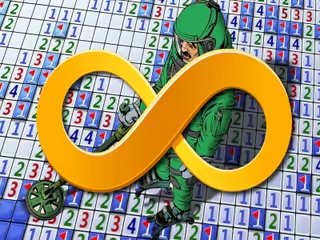
Minesweeper is the classic logic puzzle with a retro Windows look: open safe squares, read the numbers and mark every hidden mine. Beginner to Expert.
Falls under: Logic Games, Puzzles — this game trains logical reasoning and deduction, spatial reasoning and puzzle-solving.
How to play Minesweeper
- Choose Beginner, Intermediate or Expert from the Game menu.
- Click any square to start; empty areas open up on their own.
- Read each number: it tells you how many of the eight squares around it hide a mine.
- Mark squares you know are mines so you do not open them by mistake.
- Open every square that cannot be a mine, using the numbers as clues.
- Clear all safe squares to win; press the smiley or choose New to play again.
About Minesweeper
Minesweeper is the classic logic puzzle, here with the retro look of the original Windows game: a grey grid, a red mine counter, a timer and the famous smiley button. The board hides a number of mines. Click a square to open it. If it is safe, it shows a number telling you how many mines touch that square, counting all eight neighbours, and empty areas open up automatically. If it hides a mine, the game is over. Use the numbers to work out where the mines must be, mark them, and open every safe square to win.
Minesweeper reached millions of computers when Microsoft included it with Windows 3.1 in 1992, and it has been a favourite logic puzzle ever since. The Game menu offers the three classic levels. Beginner is a small board with few mines and suits a first game; Intermediate is larger; Expert is a wide board packed with mines that keeps even experienced players busy. Choose New from the same menu, or press the smiley, to start a fresh board.
Most of the board can be solved with pure logic. A number that touches exactly as many hidden squares as its value means all of those squares are mines. A number that already has that many mines marked around it means every other neighbour is safe. Patterns such as 1-2-1 along a wall come up again and again, and spotting them quickly is what makes good players fast. Guess only when the numbers truly cannot tell two squares apart, and when you must, choose the square that is most likely to open new information.
Minesweeper FAQ
How do you play Minesweeper?
Open squares one at a time. Each number shows how many mines touch that square, and you use those numbers to find and avoid every mine.
What do the numbers in Minesweeper mean?
A number counts the mines in the eight squares around it, including diagonals. An empty square has no mines next to it.
What difficulty levels are there?
Three, chosen from the Game menu: Beginner, Intermediate and Expert. Each one has a bigger board and more mines.
Is Minesweeper luck or skill?
Mostly skill. Logic solves most of every board; luck only decides a few positions where the numbers cannot tell two squares apart.
What does the smiley face do?
Pressing it starts a new game on the same level. The counters beside it show the mines left and the time.
Who made Minesweeper famous?
Microsoft, which shipped Minesweeper with Windows 3.1 in 1992 and kept it in Windows for many years.
Can I play Minesweeper on a phone?
Yes. The Beginner board fits a phone held upright; Expert has many more squares and is easier on a bigger screen.